

Show your tax IDs on invoices
Last updated · InvoiceStamp 1.1.0 for iPhone and Android
Add your main tax number in in your business details, then any other numbers under Additional Details → Add Legal Identifier: TVA / VAT, ICE, SIRET, EIN, ABN, RFC and more. Clients have the same fields. InvoiceStamp prints them on every document: yours with your business details, theirs with the client's.
How do I add my own tax IDs?
Tap Profile, then your business row under My Business. (In the editor, the business card opens the same screen.)
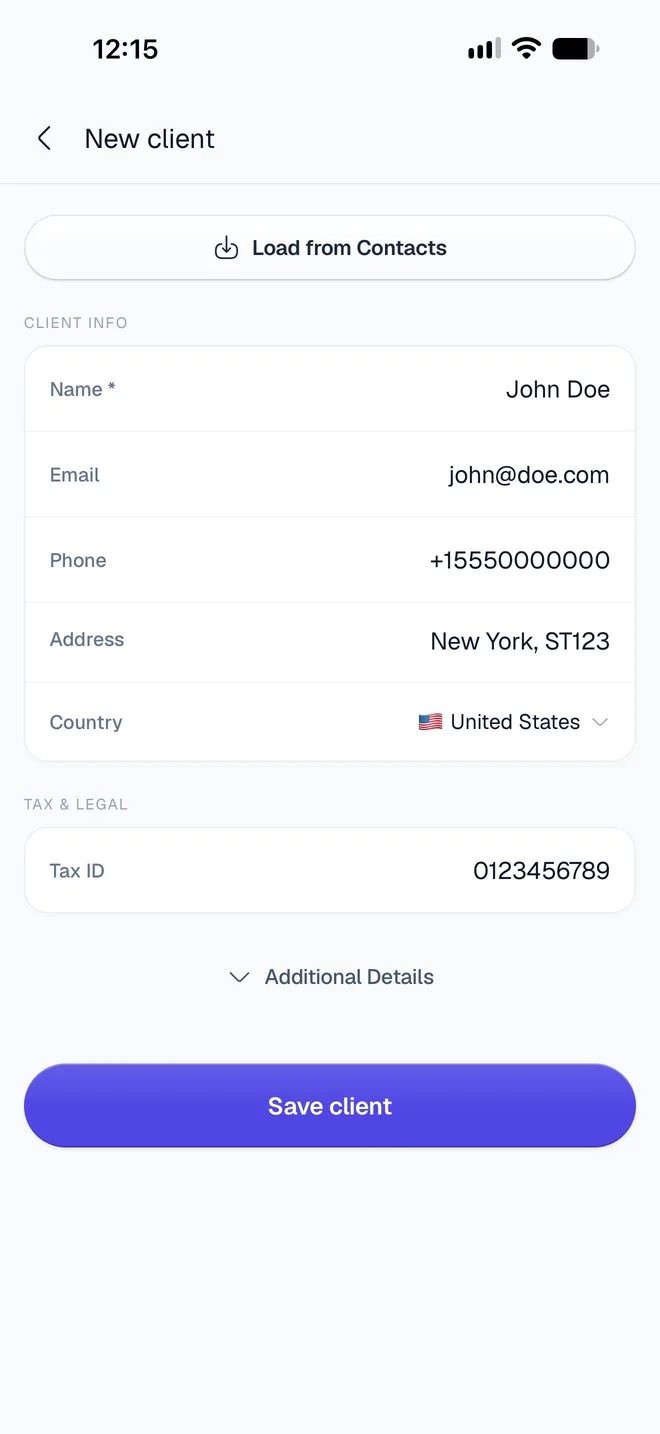
Under Tax & Legal, type your main number in Tax ID.
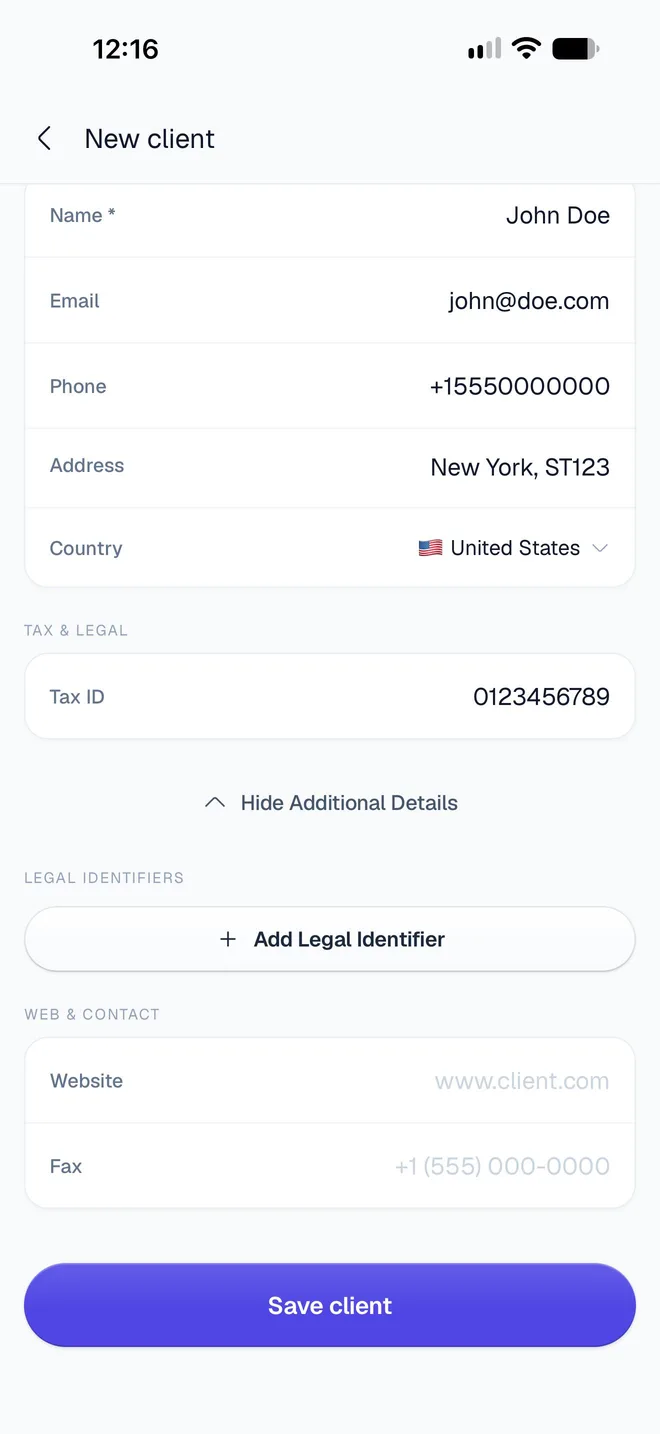
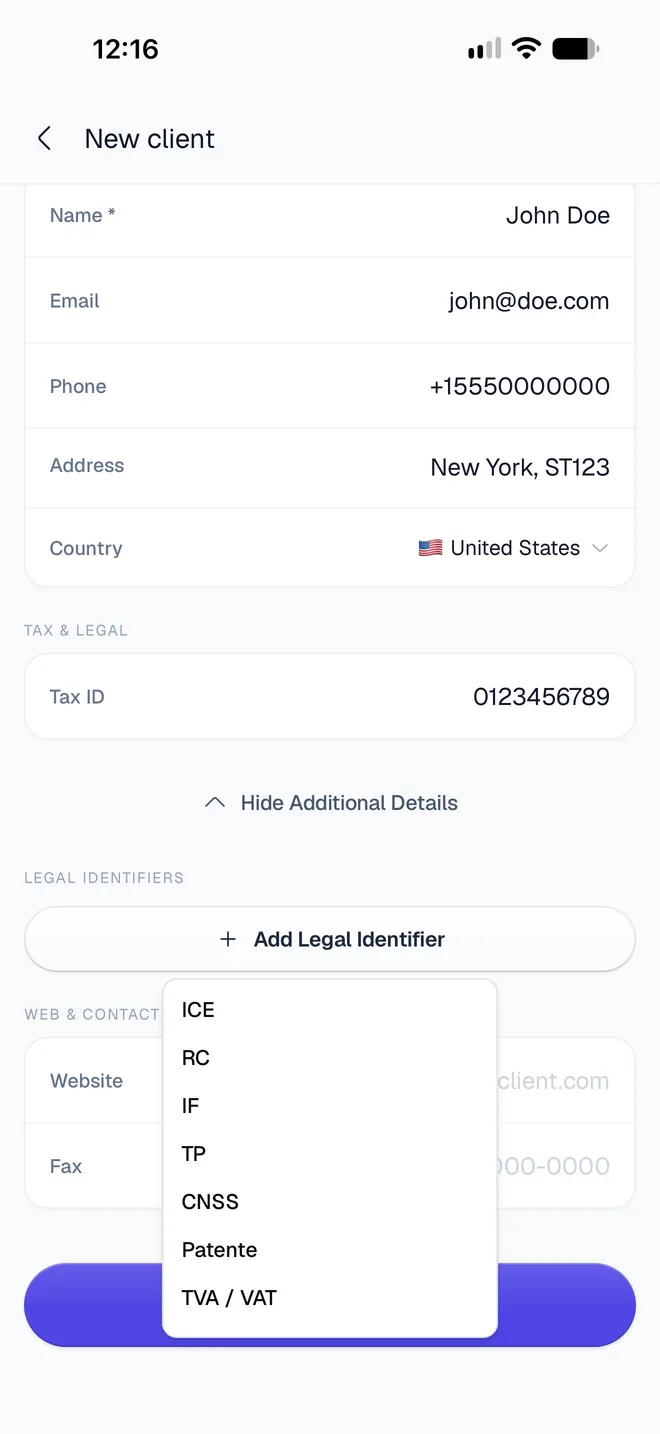
Tap Additional Details, then Add Legal Identifier, and pick a type from the list. Type the number in the row that appears. Repeat for each identifier you need; remove one with its ✕.
Tap the back arrow to save.
How do I add a client's tax IDs?
Open the client from Profile → Saved Clients, or from Your Client in the editor, and use the same fields: Tax ID under Tax & Legal, and Additional Details → Add Legal Identifier. See Save and manage clients.
Which identifiers can I add?
The same 20 types, for your business and for clients, whatever the country. Each type can be added once.
| Identifier | Usually used for |
|---|---|
| TVA / VAT | Value-added tax number (EU, UK, Morocco and elsewhere) |
| ICE | Identifiant Commun de l'Entreprise (Morocco) |
| RC, IF, TP, CNSS, Patente | Trade register, tax, business tax and social security numbers (Morocco) |
| SIREN, SIRET | Company and establishment numbers (France) |
| NIF | Tax identification number (Spain, Portugal, Algeria and others) |
| EORI | Customs registration (EU and UK) |
| UID | Business identification number (Switzerland, Austria) |
| EIN, SSN | Employer and social security numbers (United States) |
| ABN, GST | Business number and GST registration (Australia, India and others) |
| RFC | Tax ID (Mexico) |
| RUT | Tax ID (Chile, Colombia, Uruguay) |
| CNPJ, CPF | Company and personal tax numbers (Brazil) |
Add the ones your country's rules ask you to show. InvoiceStamp prints each number exactly as you type it.
How do they print on the PDF?
- ICE is printed as the main ID when you've added one. Otherwise the Tax ID is.
- Every other identifier prints with its code, in capitals: SIRET, EIN, ABN and so on. TVA / VAT prints as TVA.
- Where they go on the page depends on the design. Tap Preview in the editor to check them before you send.
Do I need to update old documents?
No. Your business details and your clients' details are read each time a PDF is made, so documents you've already saved show your current tax IDs the next time you share or download them.
Related guides
Was this page helpful?
© 2026 InvoiceStamp by BigBang CloudPrivacy PolicyTerms
Add your logo, brand color and signature
Put your logo on every InvoiceStamp document, set the brand color your design uses, and add a drawn, typed or uploaded signature that prints above the line.
Choose a design and color
Browse InvoiceStamp's invoice designs, search and favorite them, preview their sample pages and styles, pick an accent color, and use one for your documents.